Access MyCreations Files from Outside of the App
Music Speed iOS saves newly created tracks to a secure location. You have the option of saving to Files during the save process, to have your new track available through the iOS Files app. If your tr…

Updated
by Steve Myers
Music Speed iOS saves newly created tracks to a secure location. You have the option of saving to Files during the save process, to have your new track available through the iOS Files app. If your track is not in Files, here are the steps to access MyCreations files from outside of Music Speed.
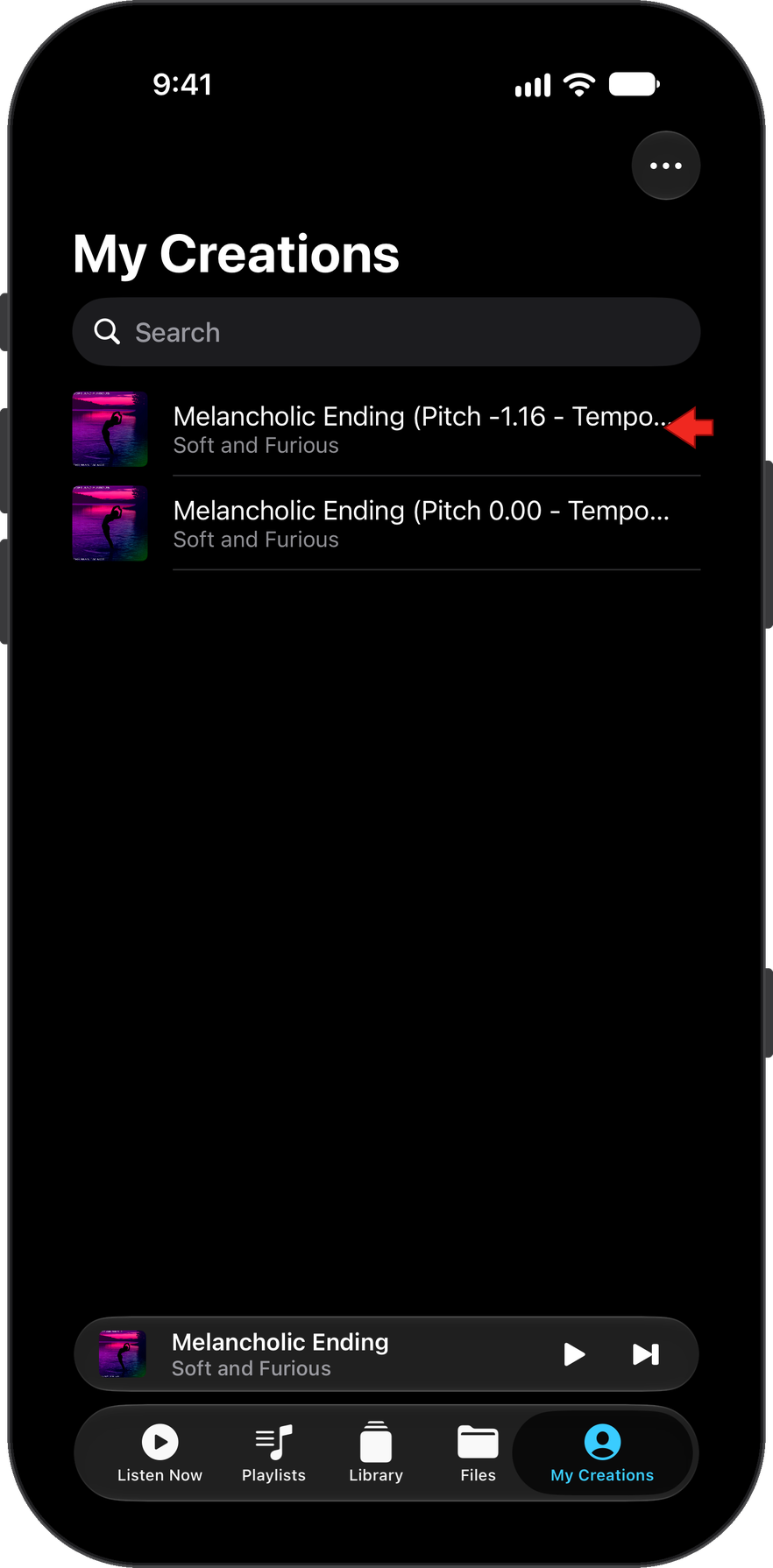
In MyCreations, long press on the created track you want to access from outside of the app.
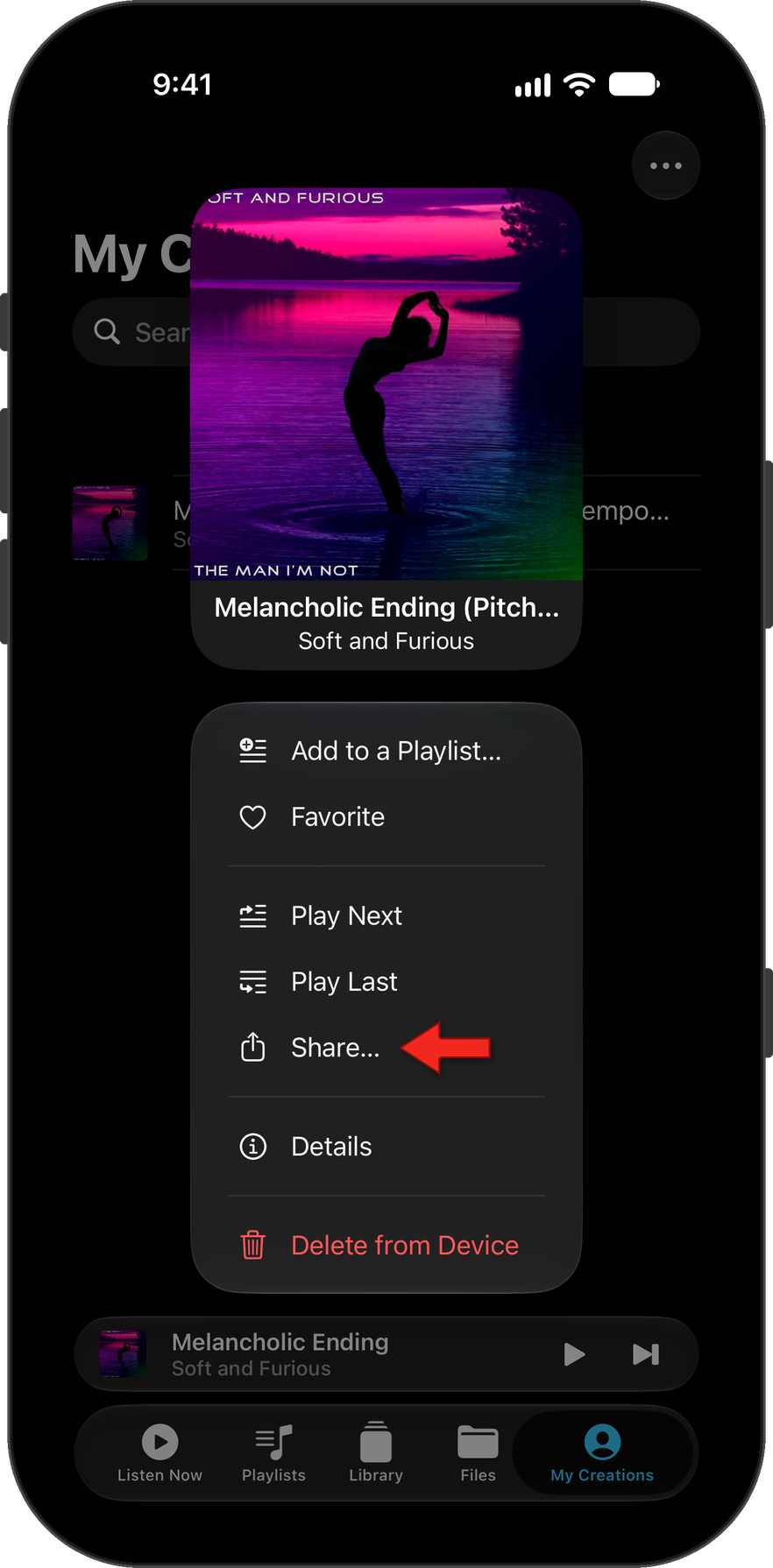
This opens the track menu. Select Share...
This opens the iOS Share functionality.
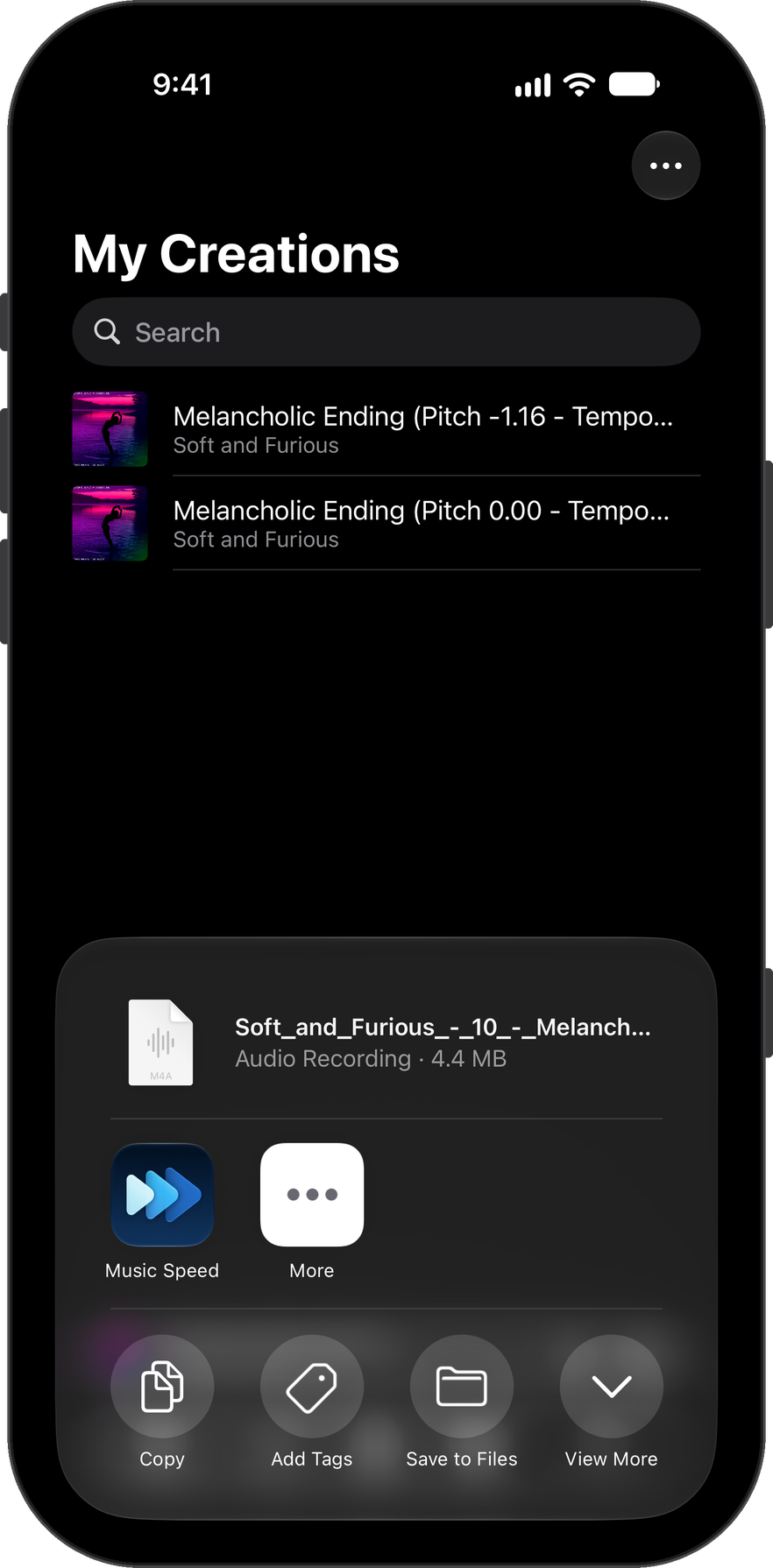
Scroll down and select Save to Files.
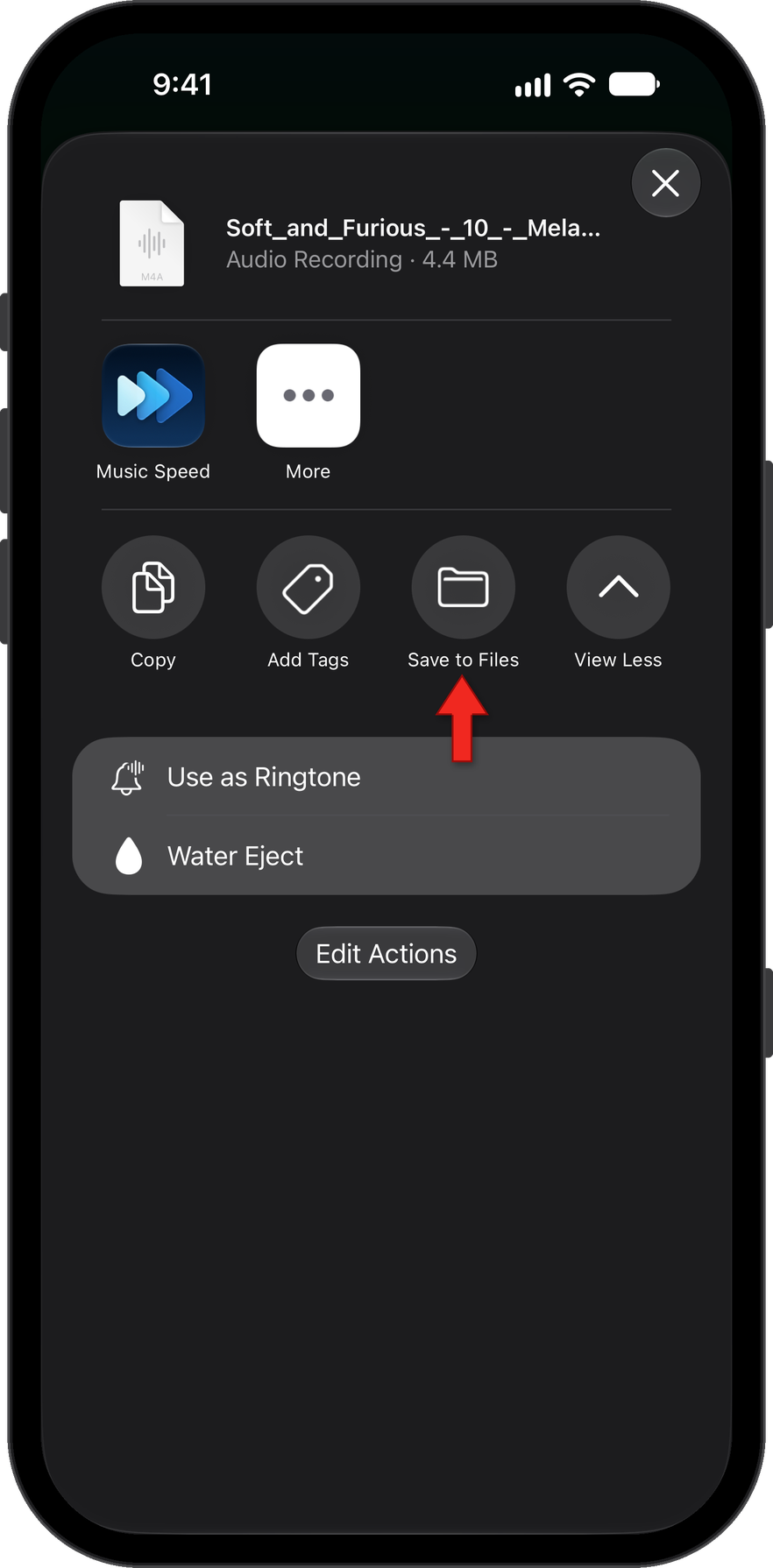
Save the file to the desired location. That's it; you can now access your creation from the Files app or any other app on your device.
How did we do?
Accessing Saved Edited Tracks in My Creations
Accessing Newly Created Tracks from the Files App
